
Seeing a 431 Request Header Fields Too Large error message? Wondering what it means and how to fix it? This post will break down the common causes of the 431 Error and give you three easy steps to resolve the issue, whether you’re a visitor or a website owner.
Table of Contents
What Is HTTP Error 431?
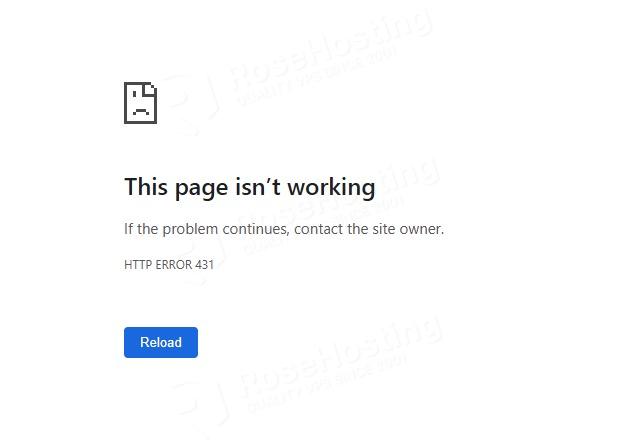
The HTTP 431 error appears when the ‘introduction’ your web browser sends to a website—called a request header—is too long. If the intro is too big, the website’s server can’t understand it and sends back the 431 error. Since this type of error is client-side, the problem is on your end, not the server where the website is hosted.
Why Does the 431 Error Happen?
This error usually pops up for a few common reasons:

Too many cookies: Websites use cookies to remember things about you (like what’s in your shopping cart). Over time, if you collect too many, they can make your request header too big for the server to handle, leading to a 431 Error.
Large or duplicate headers: Sometimes, a website’s plugins or scripts can create headers that are unnecessarily long or even contain duplicate information.
Long URLs or query strings: A really long web address, especially one with a lot of tracking info, can also contribute to making your request header too large, triggering the 431 error.
Client-side issues: In some cases, your browser might just have a lot of stored data from past sessions that adds to the size of the request headers.
How to Fix HTTP Error 431
The good news is that since this is a client-side issue, you can usually fix the 431 Error yourself without needing to access the website’s server. These are some steps you may want to take to get the error 431 fixed.
Clear Your Cookies
This is the most common fix and a great place to start! Cookies are small text files that store information about your activity when accessing a website. The website uses cookies to track your activity, like login details, website preferences, etc. Over time, cookies can build up and make your browser’s request “too big,” resulting in a 431 error. Clearing them out can give you a fresh start.
For Google Chrome users, here’s how:
- Look for the three dots in the top-right corner of your browser. Click on them, then go to More tools and select Clear Browser data. You can also use a handy shortcut: Ctrl + Shift + Delete on your keyboard!
- A new window will open. To make sure you get all the old, potentially problematic cookies, we recommend setting the time range to All time.
- Make sure the box for “Cookies and other site data” is checked, and then click Clear data. Easy as that!
Shorten Referrer URLs
Sometimes, the web address you’re coming from (called a “referrer URL”) can be really long and cause a 431 error. It’s like trying to tell someone a super-long story before you even say hello!
A quick, temporary fix is to remove everything after the question mark in the URL bar. While this might help you get to the page, it’s just a short-term trick. If you’re the website owner, you’ll want to think about shortening your URLs more permanently to avoid the 431 Error.
Check Your Code (For website owners)
If you’ve tried everything else and the error is still happening for you or your visitors, it might be time to look under the hood. The issue could be related to your website’s code. Some web servers have a size limit for the request headers they’ll accept, and if your code is creating a lot of requests, it could be exceeding that limit. It’s a good idea to review your code to make sure it’s not generating more data than necessary, which could lead to a this error.
Conclusion
That’s it all! Now you have learned about the 431 Error message, which happens when your web browser’s request headers are too big, causing the website’s server to reject the connection. You got a better picture of it, and now you know how to fix the issue.
If you liked this post, please share it with your friends or leave a comment below.